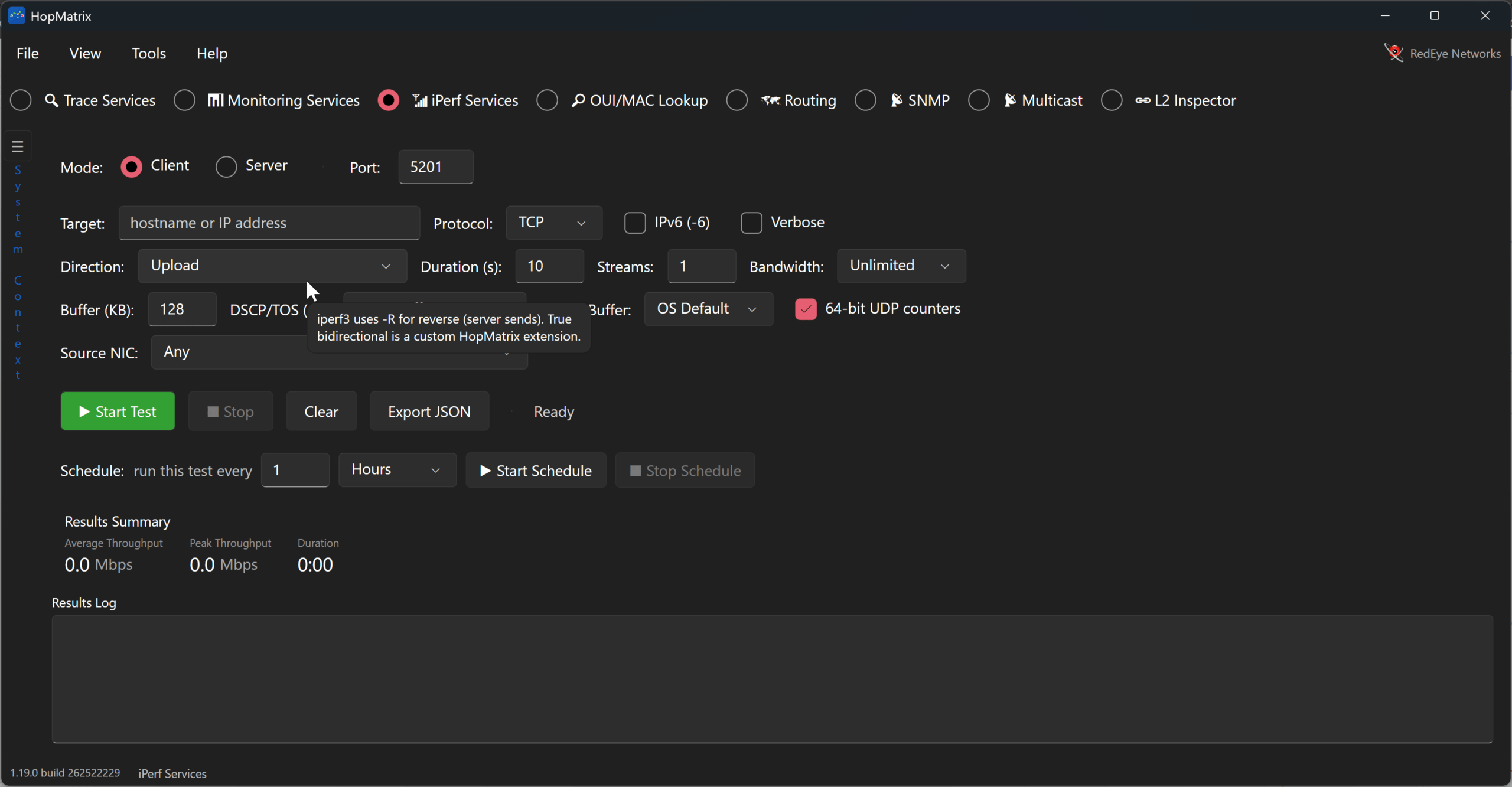
iPerf, the tool of choice for throughput testing. Unfortunately, getting it onto Windows devices has always been a bit of a Google crapshoot. Which mirror is legit and which is a trojan horse. This is where our new favorite tool HopMatrix shines. All versions of HopMatrix, whether it be on macOS, Windows x64, Windows ARM, or Linux, have a built-in iPerf3 client and server.
Designed to be fully compatible with any client or server the implementation in HopMatrix can be used with your existing iPerf server or as a pair of devices running HopMatrix.

The GUI interface also makes it easier to walk a non-technical person through running or setting it up when engineers aren’t available at the site. The test can be run in traditional download or upload mode, but it can also use a unique simultaneous mode to really stress a link. Once you’re done running the test, the results can either be exported to JSON or copied as plain text.
But Wait, There’s More!
Running ad hoc tests is great, but what if you could set up scheduled tests? HopMatrix allows a test to be configured to run every so many seconds, minutes, hours or days. This is very useful when you have intermittent issues or issues that require more than a point in time test. In addition the client can be started from the command line with the command hopmatrix –iperf <host> –port <port>. This will launch the full GUI and immediately start it as an iPerf client against the server you specified.
Have you tried HopMatrix yet? If not, go grab it at HopMatrix or install it on Windows with “winget install RedEyeNetworks.HopMatrix”.
Disclaimer: HopMatrix is developed and released by my employer RedEye Network Solutions. The opinions in this blog however are my own and are not being paid for by the company or the developer. I truly believe in this tool and want more engineers to have it.