
Earlier in this series, we explored the core discovery module in HopMatrix through ping scanning. Now we’ll dive a bit deeper into four features that pull even richer information out of your network: SNMP, CDP/LLDP decoding, Nmap, and remote Cisco packet captures.
Walk This Way
There are plenty of SNMP tools out there, but most of them cost money or are painful to run on Windows (and let’s face it, that’s still what most of us have on our laptops). Simple Network Management Protocol (SNMP) has been around for ages and is baked into all sorts of devices. HopMatrix makes it easy to do a quick discovery against hosts running SNMP. We hope most devices have moved to SNMPv3 or at least changed their community strings, but there will always be plenty out there still running public and private. Either way, HopMatrix can discover those devices and then do SNMP walks to gather even more data.


Won’t You Be My Neighbor?
Another tool in our toolbox for discovery is the ability to decode neighbor discovery protocols: Cisco Discovery Protocol (CDP) and Link Layer Discovery Protocol (LLDP). HopMatrix uses Npcap to capture and decode these Layer 2 protocols and others, so you can see what a device’s neighbors are advertising.

If In Doubt, Nmap!
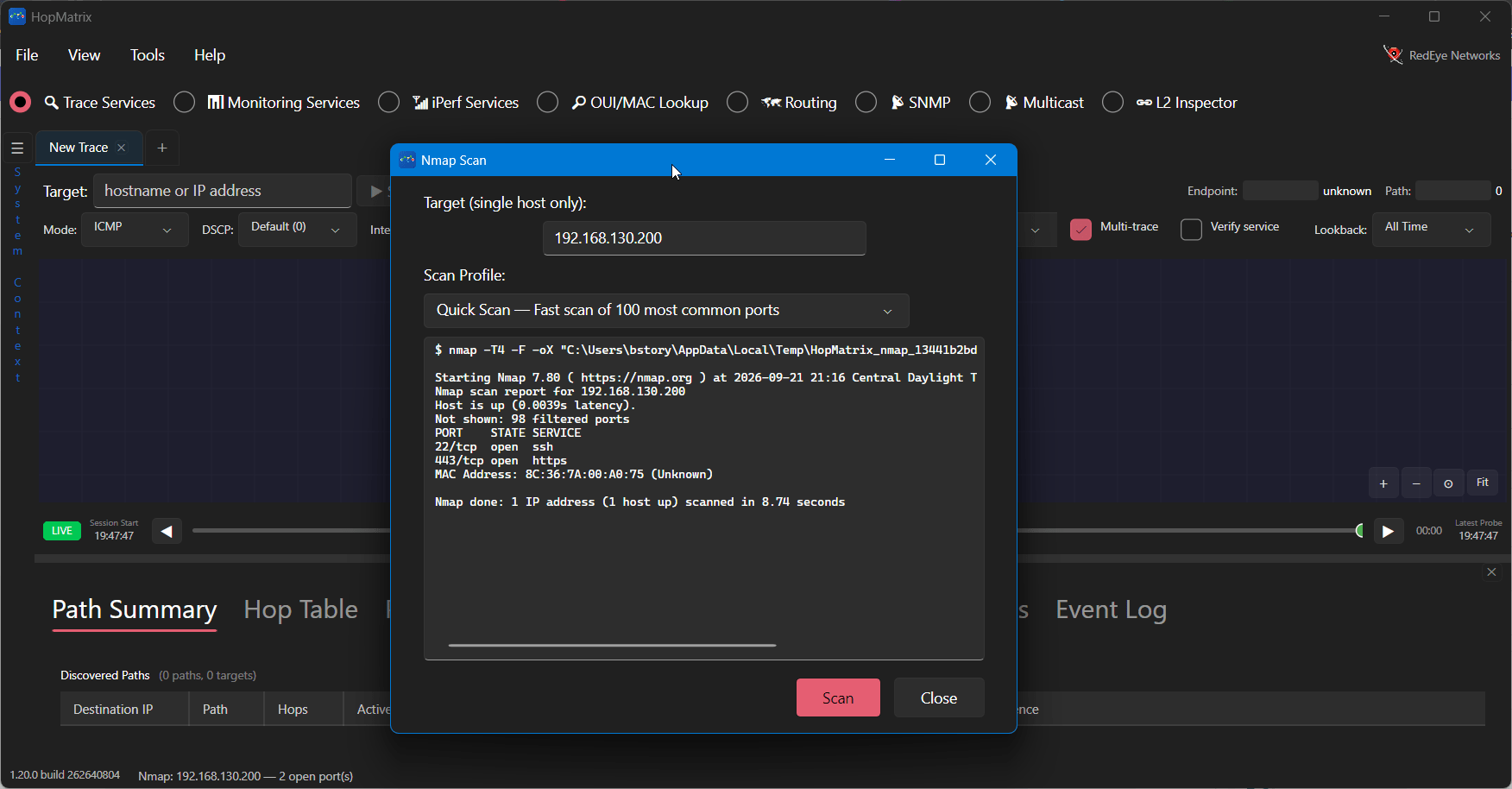
That’s right, HopMatrix also has Nmap built in, so you can interrogate any host you need more information about. You’ll find it under Tools > Nmap.

Packets Never Lie
Here’s a bonus feature for you if you’re running a Cisco network. HopMatrix can automate setting up, running, and retrieving a packet capture over SSH. Be careful when you use this, as large captures can fill a switch’s flash quite easily.

That’s All Folks! (For Now)
That wraps up the core features of HopMatrix. I really hope you give it a try and tell your friends about it. Brian Adams, my colleague at RedEye who built HopMatrix, keeps shipping new features on the regular, so expect more to come. No more waiting: head to hopmatrix.com and grab it today!



Network discovery write-ups only help when they name the hop path that actually failed. Curious which segment HopMatrix flagged first in your lab topology.
It will show visually the last hop that was responding. Kick the tires and give us feedback.